Inventory & telemetry
Inspect connectivity, reported software, telemetry and device events, grouped by organisation and model.

Bring device inventory, firmware releases and remote operations together in a server you can host yourself.
Built by Julien Vermillard at ClunkyMachines, from the recurring engineering work of connecting, maintaining and updating products in the field.
Technical preview · AGPL-3.0 · Read the v0.1.0 launch story
Shipping a device is the beginning of its operational life. Teams still need to answer which software is running, why a device stopped reporting and whether a corrective update reached the right units.
Anchor brings that repeated infrastructure into one project, so engineers can spend more time on the product itself.
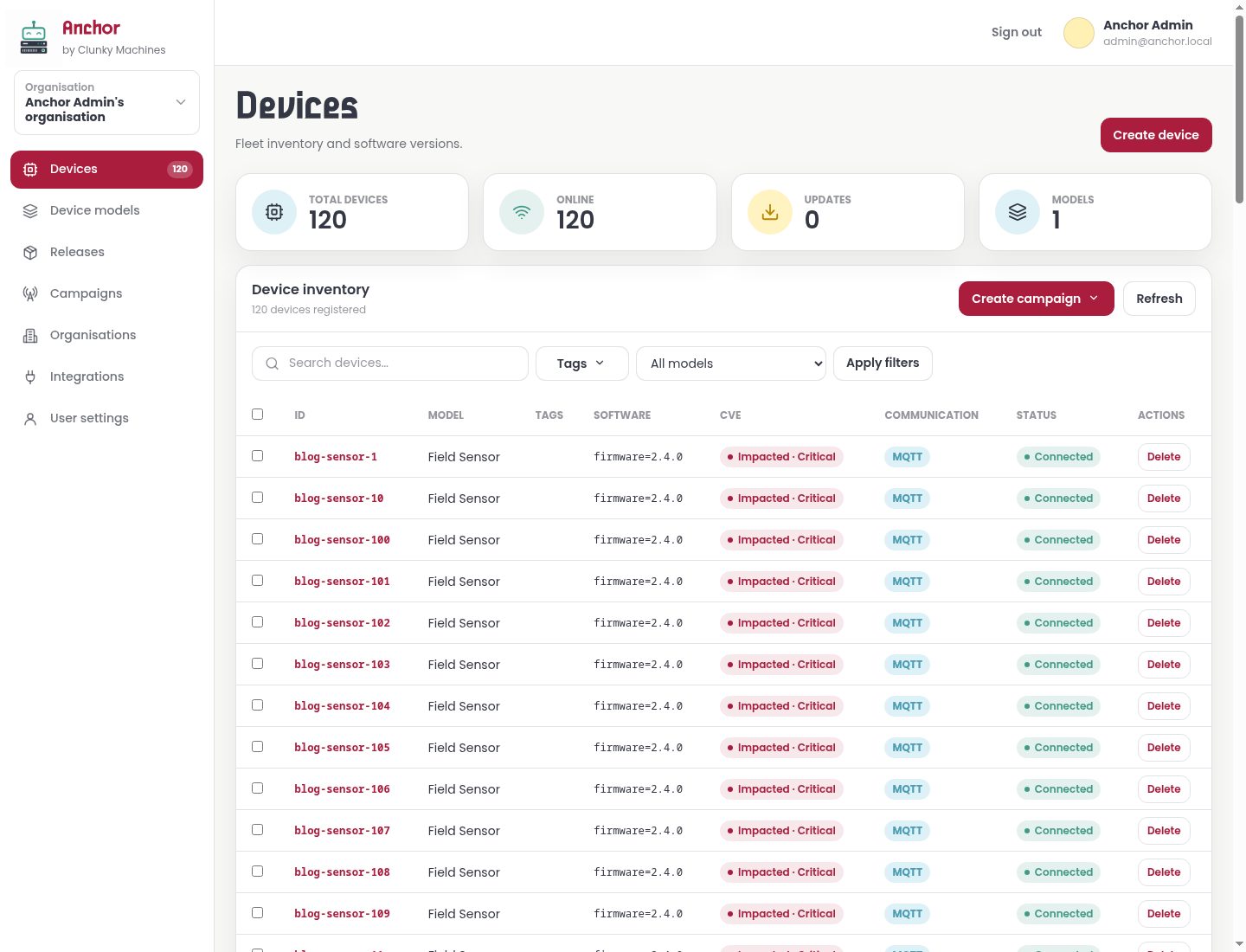
Inspect connectivity, reported software, telemetry and device events, grouped by organisation and model.
Run read, write or firmware-update tasks for a device or selected fleet, then track results.
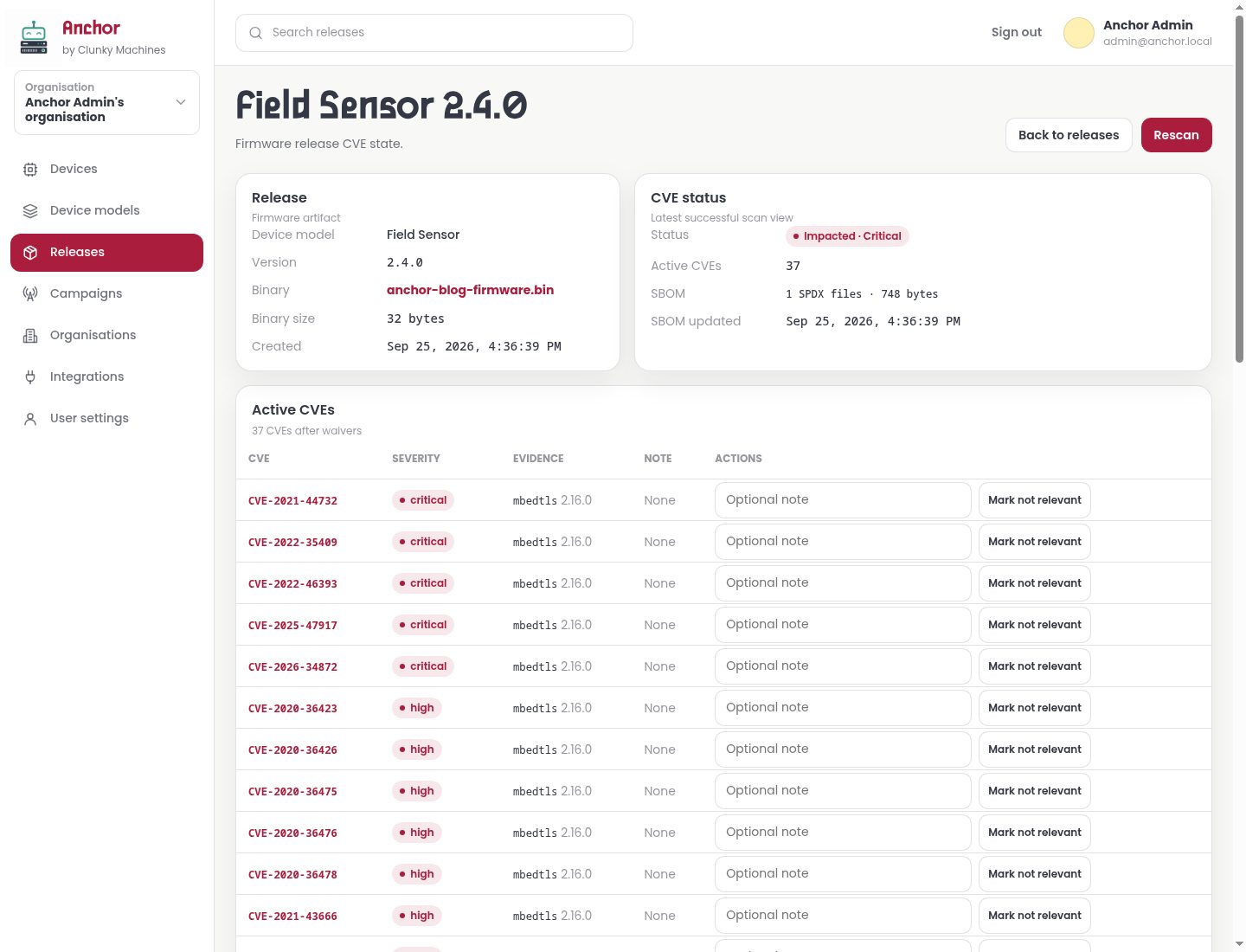
Associate firmware with SPDX SBOMs. Grype supplies CVE scanning; engineers review relevance to the product.
Capability reference: project README , checked on 9 October 2026. Screenshots show the v0.1.0 launch context, not every subsequent development.
MQTT through Mosquitto, or CoAP over DTLS with a separate frontend. Devices report state and execute tasks.
A Go application with a web interface, REST API and SQLite by default. Releases and operations are managed centrally.
Connect manufacturing and release pipelines to fleet operations. Keep signing authority, deployment approval and support ownership explicit.
When reviewing an integration, we trace the whole path: build, sign, publish, download, validate, boot, confirm and report. A successful server-side task alone cannot prove image authenticity or recovery after an interrupted boot.
For a Zephyr product, this means examining the actual MCUboot configuration and health checks alongside the backend. For other stacks, the same questions apply to the mechanisms they provide.
A useful vulnerability response starts with traceability: the component in a build, the release containing it and the devices reporting that release.
Your team then decides whether the finding affects the product, prepares a correction and checks the outcome in the field. Preserve the assessment and deployment evidence alongside the release.
Read the deployment instructions and select a tagged release or a recorded source revision. Keep that version with your trial notes.
View releasesChoose MQTT or CoAP, follow the matching protocol contract and confirm heartbeat, version reporting and task results.
Connection documentationUse the documented fleet simulator for a local trial. Test an update, a failed task and an offline device before integrating hardware.
Fleet simulator guideUse a trial to establish what your product needs from fleet operations. Integration, deployment hardening and validation must be assessed for your environment.
I can help connect firmware, provisioning, release tooling and infrastructure, then validate the operational workflow with your team.